LEGO® Education Computer Science & AI 45522 — ages 11+
A hands-on Computer Science & AI kit for ages 11+, with 379 LEGO bricks and 30 lessons. Selection and implementation guidance from Robotcom.
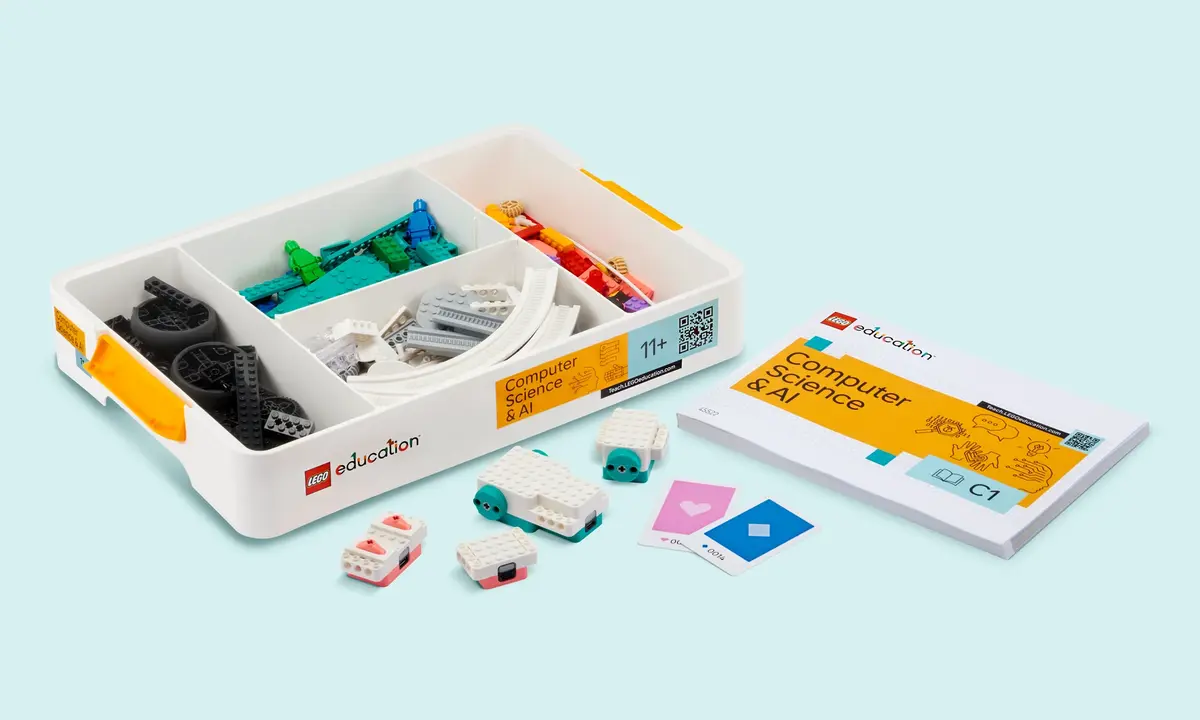
According to LEGO Education
| Item | Specification |
|---|---|
| Code | 45522 |
| Age guidance | 11+ |
| LEGO bricks | 379 |
| Lessons | 30 |
| Units | 6: Basics, Loops, Conditionals, Variables, Functions, AI & Data |
| Groups | Up to four students per kit |
Contents of the individual kit
- 379 LEGO bricks
- 1 double motor
- 1 single motor
- 1 color sensor
- 1 controller
- 2 connection card(s)
- 1 USB charging cable
- Stackable storage box
- Building instructions
Software, devices and connectivity
Coding Canvas uses icon-based coding and word blocks. Lessons are accessed with a PIN without student logins; projects are stored locally. A web app and iOS app are available. Teachers sign up for the Teacher Portal.
For the web app, Coding Canvas recommends a Chromium browser such as Chrome or Edge on Chromebook, Windows or macOS with Bluetooth support. Test school devices and permissions. Teachers need internet access for the portal; fully offline operation is not assumed.
Teaching resources
30 lessons with student presentations, facilitation notes and getting-started resources in the Teacher Portal. Six units: Basics, Loops, Conditionals, Variables, Functions, AI & Data.
Manufacturer curriculum alignment refers to the source market. Alignment with a Brazilian school curriculum requires local planning.
School use — Robotcom guidance
Use the manufacturer age guidance alongside your curriculum and students’ experience. Plan a question, a build or experiment, a test and an explanation of the result. Rotate group roles and prepare teachers before the pilot.
Brazilian school stages are a local pedagogical recommendation, not a direct conversion of foreign grade labels. Check storage, preparation time and device compatibility where digital activities are used.
Official sources
Manufacturer product page — 45522 · Age guidance in the catalogue
Frequently asked questions
How many students share a kit?
Manufacturer pages describe groups of four. Plan rotating roles so everyone participates.
Can individuals request a quote?
Robotcom serves institutions and individuals. Share the model code, quantity and intended use to check conditions.
Is training available?
Robotcom offers teacher training and implementation guidance as an independent company. The scope is agreed in the proposal.
Do teachers need coding experience?
Training can start with the fundamentals. Teachers should prepare and test the selected activities before classroom use.
How should we choose a kit?
Compare learning goals, age guidance, students’ experience and available resources. Robotcom can help with selection.
Which devices are supported?
Coding Canvas has web and iOS apps. Check current requirements and test browser and Bluetooth permissions.
Is internet access needed?
Teachers need access to the portal to prepare resources. Check requirements for the selected digital activities; fully offline use is not promised.
Can the kit be used in a makerspace?
It can support a planned learning project with suitable building and testing space and teacher supervision.
How do we request a quote?
Share code 45522, quantity, class size, school stage and goals. Availability, price and delivery conditions are confirmed in the proposal.
LEGO, the LEGO logo, LEGO Education and related marks belong to the LEGO Group. Robotcom is an independent company and does not claim an official affiliation, representation or endorsement by the LEGO Group.